Views: 13 Author: Site Editor Publish Time: 2026-01-04 Origin: Site
The new generation of all-new window-cleaning robots with display screen to be launched in 2026 represents the booming development of cleaning equipment. The defining feature of this new class is the integrated display screen, a portal that transforms the device from a simple cleaning tool into a true interactive partner. This is not merely a cosmetic upgrade; it is a fundamental rethinking of the human-machine interface for home maintenance.
The screen provides a constant stream of actionable data, demystifying the robot's operations and placing unparalleled control directly in the user's hands. This guide will delve deep into the world of these advanced robots, with a particular focus on how the interactive display and its supporting ecosystem of features—from precise manual control and multi-mode cleaning to comprehensive status monitoring—work together to deliver a cleaning experience that is safer, more effective, and more transparent than ever before. We will explore the technology behind the display, decode the wealth of information it presents, and demonstrate how it elevates every aspect of window cleaning from a chore to a command.
Part 1: The Command Center – Decoding the Interactive Display
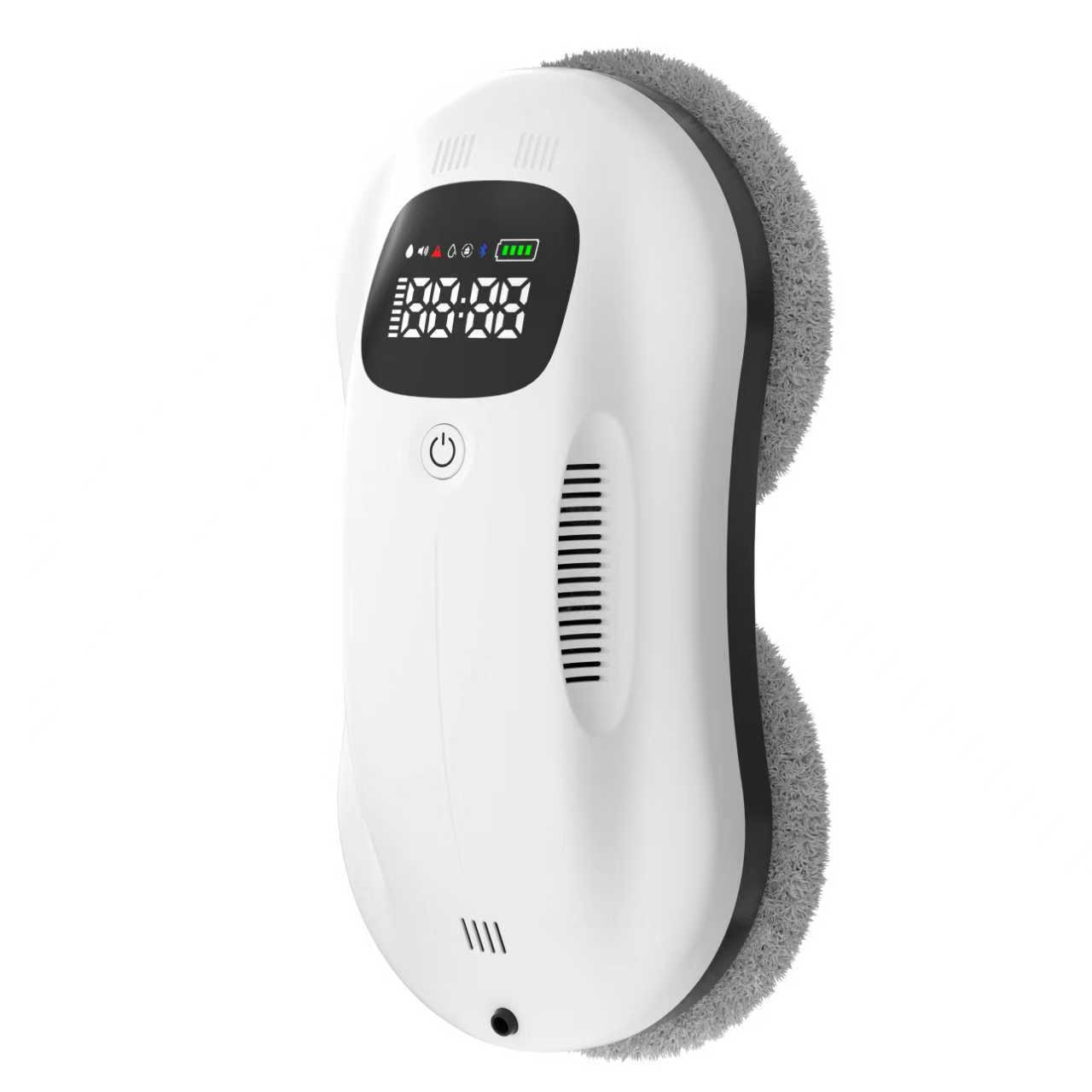
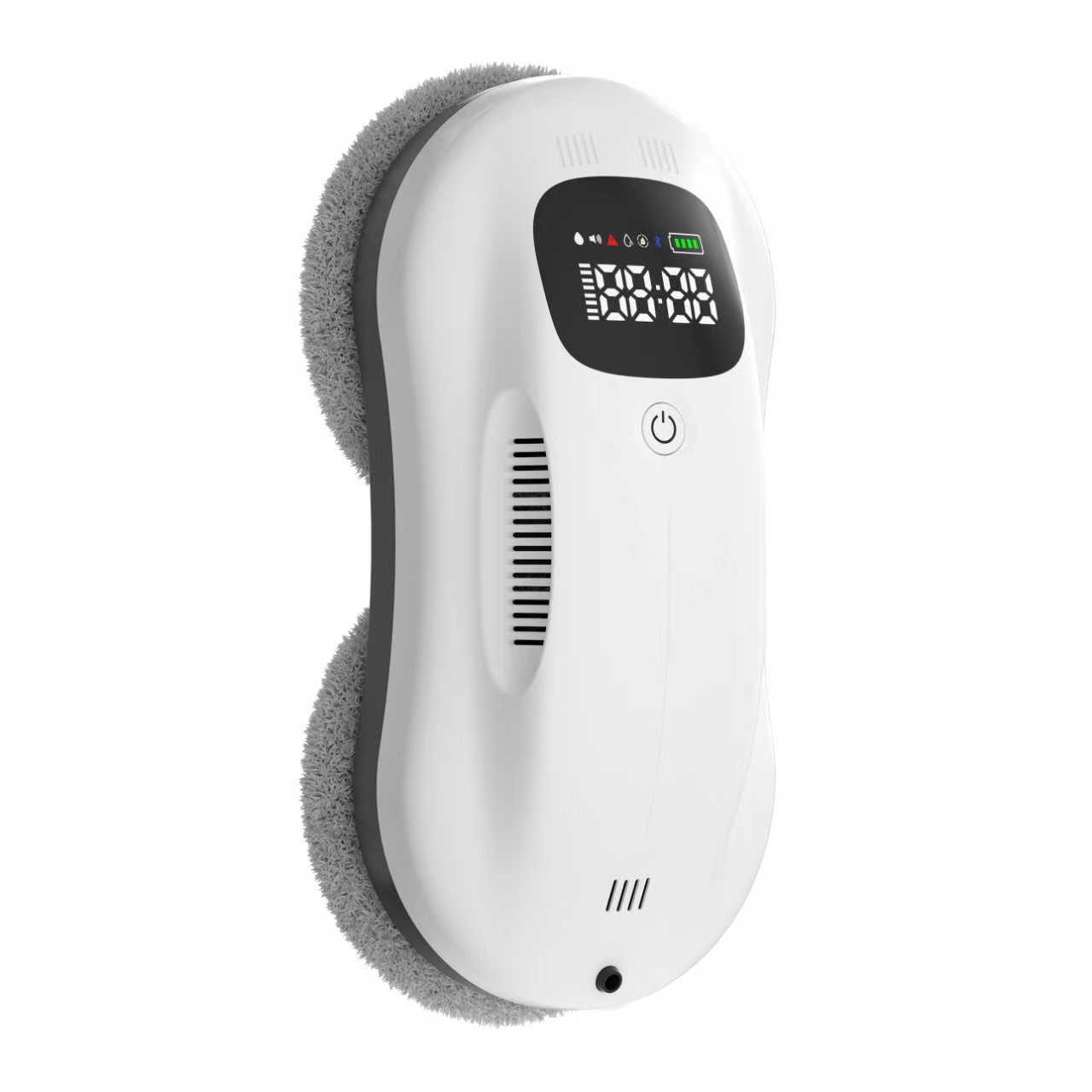
The centerpiece of the window cleaning robot is its high-resolution, real-time display. This screen serves as the primary communication hub, replacing cryptic blinking lights with clear, visual information. Let's break down the key elements typically presented.
1. Core Status Indicators (The Essential Readouts):
Timer Display: Clearly shows the elapsed cleaning time for the current session (e.g., E 08:28 indicates 8 minutes and 28 seconds). This allows users to track progress and estimate completion times for windows of different sizes.
Water Tank Level Indicator: A critical feature for uninterrupted cleaning. Instead of guessing, users see a clear visual representation, often with four segments (each representing 25% of capacity). A full tank shows all segments lit; as water is used, segments turn off, providing a precise warning before the tank is empty.
Battery Charge Indicator: Similar to a smartphone, this shows the remaining battery power with a segmented bar. During cleaning, it displays discharge status; when docked, it shows the charging progress, often with a flashing animation that becomes solid when fully charged.
2. Operational Mode & Function Status:
Active Mode Iconography: Icons clearly indicate whether the robot is in Automatic Path Planning mode, Manual Remote Control mode, or a specialized mode like Fixed-Point Cleaning.
Function Activation Lights: Small, dedicated icons show the real-time status of key functions. For example, a water droplet icon illuminates when the spray system is activated, and a Bluetooth symbol stays lit when a connection to the remote is active.
3. Safety and Alert System (The Guardian Features): This is where the display becomes indispensable for safe operation. Instead of a generic alarm beep, the screen provides specific diagnostic alerts.
Suction/Pressure Alert: If the robot's vacuum seal is compromised (e.g., on a very dirty or irregular surface), a warning icon (like a red exclamation mark or "Low Pressure" text) will appear, prompting the user to check the window or reposition the robot.
Error Code Display: In the rare event of a system anomaly, the display can show specific error codes (e.g., E02, E05). This allows for quick troubleshooting by referencing the user manual, potentially resolving simple issues without the need for a service call.
Part 2: Precision Control – Modes Tailored for Every Pane
The intelligence of the Window Cleaning Robot with Display Screen is fully expressed through its diverse cleaning modes, each designed for a specific scenario and greatly enhanced by the feedback from the display.
1. Intelligent Automatic Mode (Set and Forget): This is the core autonomous function. Using sophisticated border detection sensors and pathfinding algorithms, the robot maps the window and executes a systematic, high-coverage cleaning pattern. The display's timer and progress indicators allow the user to monitor this autonomous work with confidence, knowing exactly how long the robot has been operating and that it is functioning correctly.
2. Manual Remote Control Mode (Total Command): Sometimes, automation needs a guiding hand. The manual mode, operated via a responsive remote control, puts the user in direct command. Using directional buttons, you can steer the robot to any point on the window. This is ideal for:
Pre-Cleaning Inspection: Driving the robot around the perimeter to check for major obstacles.
Targeted Cleaning: Directing the robot to focus on a particularly grimy spot or a stubborn stain.
Complex Windows: Navigating around decorative bars or unusual window dividers that might confuse the automatic pattern.
3. Fixed-Point Cleaning Mode (The Spot Treatment Specialist): This advanced sub-function of manual control is designed for maximum effectiveness on problem areas. As outlined in the product parameters, the process is simple:
Use the remote to navigate the robot directly to the stained or dirty area.
Press and hold the designated button (e.g., the "O-" button) for two seconds.
The robot enters Fixed-Point mode, where it will oscillate or rotate in a tight pattern over that specific spot for an extended period, applying focused cleaning action where it is needed most. The display confirms the mode activation, so you know the robot is performing the intensive clean.
4. Water Spray Control (On-Demand Moisture): The Window Cleaning Robot with Display Screen features a manual spray system, a significant upgrade over purely passive damp cloths. With a press of a button on the remote, the robot releases a fine mist of cleaning solution directly in front of its cleaning pads. The display's "spray active" indicator provides confirmation that the command was received and executed. This allows users to manage moisture based on the level of grime—a light spray for dust, multiple bursts for dried-on dirt—preventing over-wetting on easy jobs and ensuring enough solution for tough ones.
Table: Operational Mode Comparison and Best Use Cases
Cleaning Mode
Primary Control Method
Key Display Feedback
Ideal Use Case
Intelligent Automatic
Robot's AI pathfinding
Timer, Battery Level, Status Icons
Standard cleaning of standard, rectangular windows. Daily/weekly maintenance.
Manual Remote Control
User via directional remote
All status indicators active; shows real-time response.
Confirmation icon that specialized mode is active.
Treating bird droppings, paint splatter, sap, or other concentrated stains.
Water Spray Function
User button press on remote
Water droplet icon illuminates upon activation.
Adding cleaning solution for moderate-to-heavy dirt; pre-treating dried stains.
Part 3: The Silent Guardian – Integrated Safety Systems
Safety is the non-negotiable foundation of any high-altitude cleaning device. The Window Cleaning Robot with Display Screen integrates multiple redundant safety layers, with the display acting as the central alert system.
1. Power Failure Protection – The Ultimate Backup: A critical fear with any corded cleaning device is a sudden power outage. This robot is engineered to prevent a fall. It features a backup battery system that engages instantly if main power is lost. The product specifications note a substantial 20 minutes of protection time. During such an event, the display's abnormal alarm indicator would flash red, clearly informing the user of the power loss while the backup system keeps the robot securely attached, providing ample time to safely retrieve it.
2. Fall Arrest Control – Layers of Security: Beyond the backup battery, security is multi-faceted:
Primary Vacuum Suction: The robust 3000Pa suction motor creates a powerful seal on the glass.
Physical Safety Tether: A strong nylon rope is attached to the robot and a secure anchor point inside the home. This is a final, fail-safe mechanical backup.
Low-Pressure Detection: The robot's sensors constantly monitor suction integrity. If a significant leak is detected (e.g., from a major obstacle or cracked glass), the display will show a low-pressure warning, and the robot will typically stop moving and sound an alarm to prevent an unsafe situation from developing.
3. Border Detection and Anti-Collision: Using infrared or ultrasonic sensors, the robot automatically detects window edges, frames, and obstacles like handles. It adjusts its path to stay on the glass and avoid collisions that could break its seal. The smooth, predictable movement this enables also contributes to a more thorough clean without missed spots.
Part 4: Technical Specifications – The Engineering of Clean
The user-friendly experience is powered by a suite of carefully engineered components. Understanding these specs reveals the machine's capability.
Suction Power (3000Pa): This provides the strong adhesion necessary for safe operation on vertical surfaces and ensures the cleaning pads maintain firm contact with the glass for effective scrubbing.
Battery & Power (650mAh Backup, 72W Rated Power): The main motor operates on corded power for unlimited runtime. The 650mAh backup battery is dedicated solely to safety retention during a power interruption.
Water Tank (50ml): This integrated tank allows for the convenient manual spray function. The 50ml capacity is designed for multiple spot-cleaning sprays across several windows without frequent refills, and its status is always visible on the display.
Noise Level (65-70dB): Operating at a volume comparable to a normal conversation or a vacuum cleaner in another room, it is effective without being overly disruptive to the home environment.
Part 5: Optimizing Your Cleaning Routine – Tips and Best Practices
To achieve professional-level results with your Window Cleaning Robot with Display Screen, follow these guidelines:
1. Pre-Cleaning Preparation:
Inspect the Window: Quickly check for large debris (leaves, cobwebs) on the sill or frame that could interfere with the robot's path.
Prime the Pads: Before the first use or if pads are completely dry, dampen them slightly with clean water to improve initial cleaning performance.
Secure the Safety Tether: Always attach the tether to a robust, immovable object inside before placing the robot on the window.
2. During Operation:
Start with Automatic Mode: For most standard cleans, this is the most efficient method. Use the display to monitor its progress.
Use Manual Mode for Troubleshooting: If the robot seems to miss a spot or struggles with a complex frame, switch to manual control to guide it.
Leverage Fixed-Point Mode for Stains: Don't just make the robot pass over a stain multiple times. Use the dedicated mode for concentrated cleaning power.
3. Post-Cleaning and Maintenance:
Clean the Pads: Rinse the microfiber cleaning pads after use to remove dirt and prevent grinding grit into your next window.
Check the Squeegee: Wipe the rubber squeegee blade to ensure it remains clean and effective at leaving a streak-free finish.
Store Properly: Coil the power cord and safety tether neatly, and store the robot and remote in a dry place.
Conclusion: Transparency and Control Redefined
The Window Cleaning Robot with Display Screen is more than an incremental improvement; it is a fundamental redefinition of what a maintenance robot should be. By bridging the information gap between machine and user, it transforms window cleaning from an opaque, hope-for-the-best task into a transparent, controlled, and highly effective process. The display is the keystone, providing the confidence that comes from knowing precisely what the robot is doing, how much power and water it has, and if any issues arise.
This combination of intelligent automation, precise manual control, and unwavering safety, all communicated through a clear interface, represents the future of home robotics. It is a future where technology doesn't just work for us in the background, but works with us, providing the tools and information needed to achieve perfect results with ease and absolute peace of mind. For homeowners seeking a truly modern, effective, and safe solution to a timeless chore, the era of the intelligent window cleaning robot has definitively arrived.
A robotic pool cleaner must have strong wall-climbing ability, a firm scrubbing brush, and smart navigation that targets the waterline to effectively remove stubborn stains caused by organic residue and calcium scale. Manual scrubbing and pressure-side cleaners often fall short, so a purpose-built robotic model with dedicated waterline cleaning is the most reliable solution. Regular maintenance, proper water chemistry, and consistent cleaning schedules are also essential to prevent buildup and keep results lasting. Read More
This article explains the engineering behind robotic pool cleaners that can climb vertical walls, highlighting the use of multiple motors, advanced suction systems, and intelligent navigation to maintain adhesion and ensure thorough cleaning. It emphasizes the practical benefits of this technology, such as eliminating waterline stains and reducing manual maintenance, while also addressing the design challenges of balancing weight, power, and sensor accuracy. Read More